> For the complete documentation index, see [llms.txt](https://qatesting.gitbook.io/qa/llms.txt). Markdown versions of documentation pages are available by appending `.md` to page URLs; this page is available as [Markdown](https://qatesting.gitbook.io/qa/database-testing/sql/dml-commands/clauses/join-clauses.md).
# Join Clauses
## Different Types of SQL JOINs
Here are the different types of the JOINs in SQL:
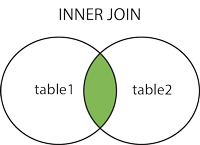
* `(INNER) JOIN`: Returns records that have matching values in both tables
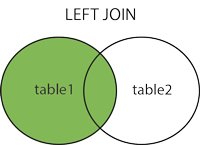
* `LEFT (OUTER) JOIN`: Returns all records from the left table, and the matched records from the right table
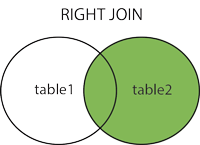
* `RIGHT (OUTER) JOIN`: Returns all records from the right table, and the matched records from the left table
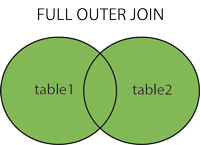
* `FULL (OUTER) JOIN`: Returns all records when there is a match in either left or right table
#### QUERYING MULTIPLE TABLES
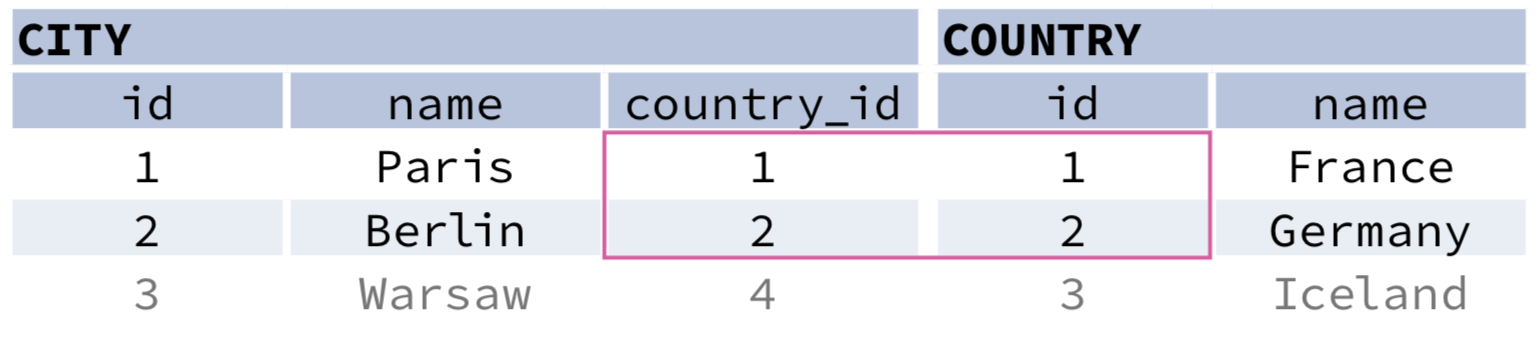
**INNER JOIN**
**`JOIN`** (or explicitly **`INNER JOIN`**) returns rows that have matching values in both tables.
```sql
SELECT city.name, country.name
FROM city
[INNER] JOIN country
ON city.country_id = country.id;
```
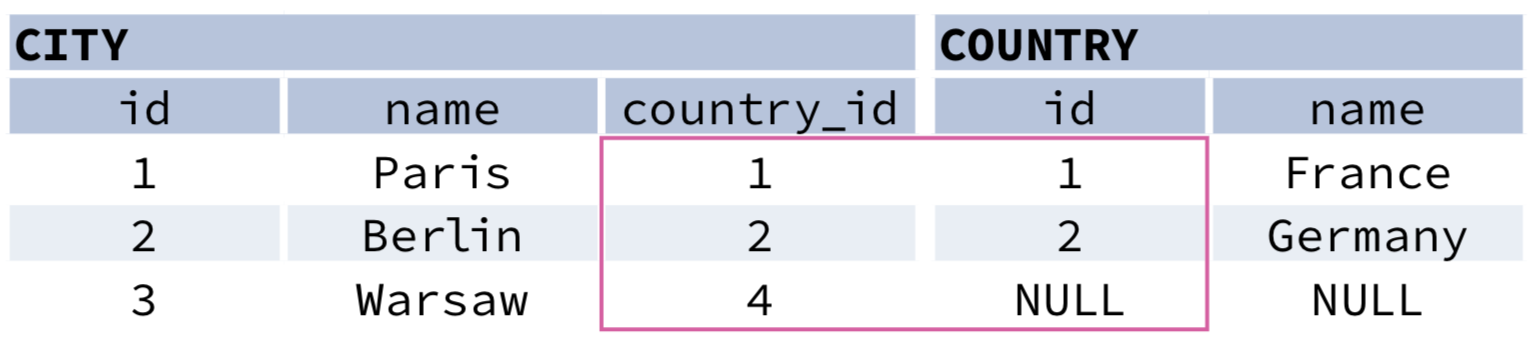
**LEFT JOIN**
**`LEFT JOIN`** returns all rows from the left table with corresponding rows from the right table. If there's no matching row, **`NULL`**s are returned as values from the second table.
```sql
SELECT city.name, country.name
FROM city
LEFT JOIN country
ON city.country_id = country.id;
```
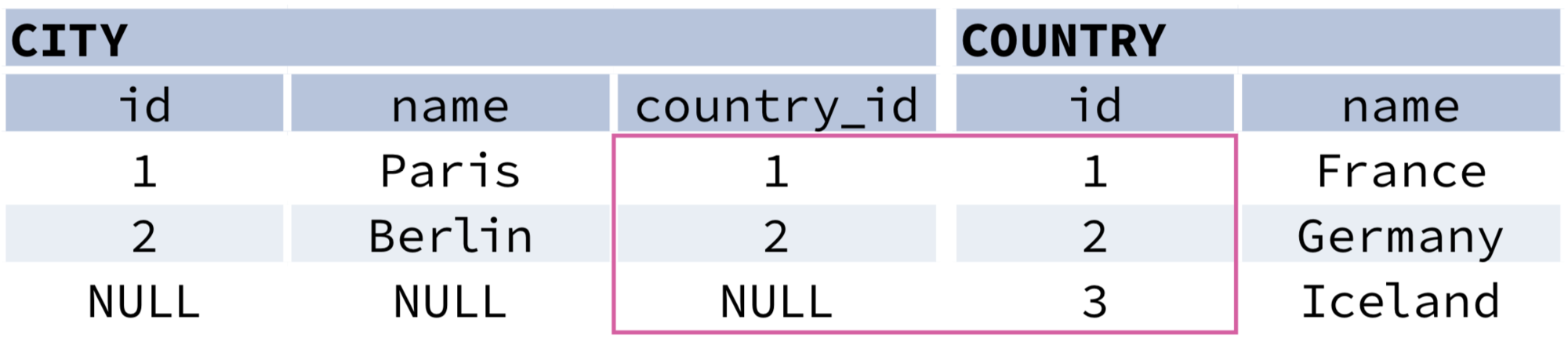
**RIGHT JOIN**
**`RIGHT JOIN`** returns all rows from the right table with corresponding rows from the left table. If there's no matching row, **`NULL`**s are returned as values from the left table.
```sql
SELECT city.name, country.name
FROM city
RIGHT JOIN country
ON city.country_id = country.id;
```
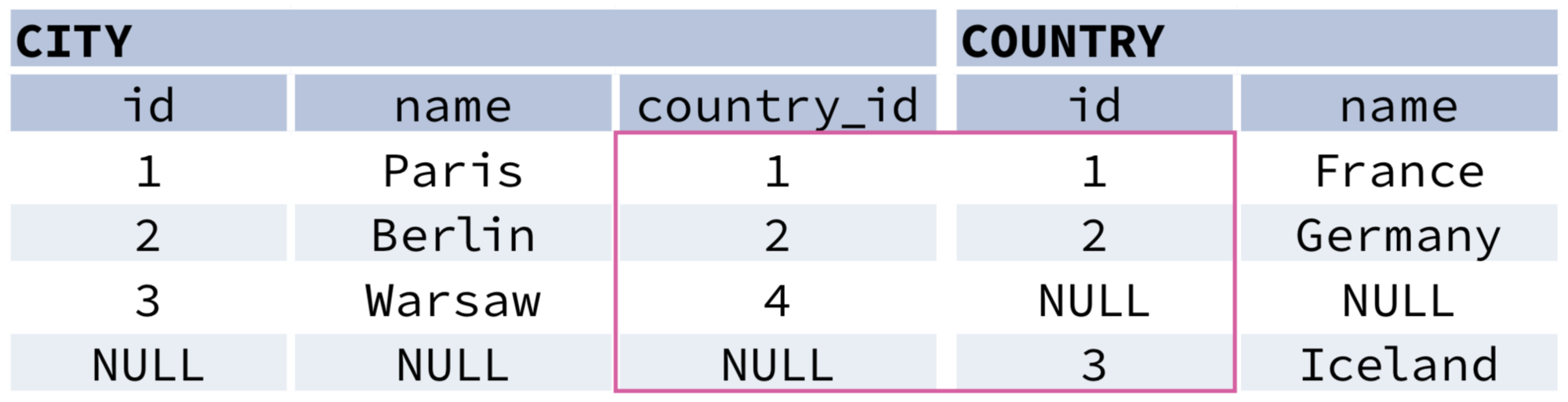
**FULL JOIN**
**`FULL JOIN`** (or explicitly **`FULL OUTER JOIN`**) returns all rows from both tables – if there's no matching row in the second table, **`NULL`**s are returned.
```sql
SELECT city.name, country.name
FROM city
FULL [OUTER] JOIN country
ON city.country_id = country.id;
```
**CROSS JOIN**
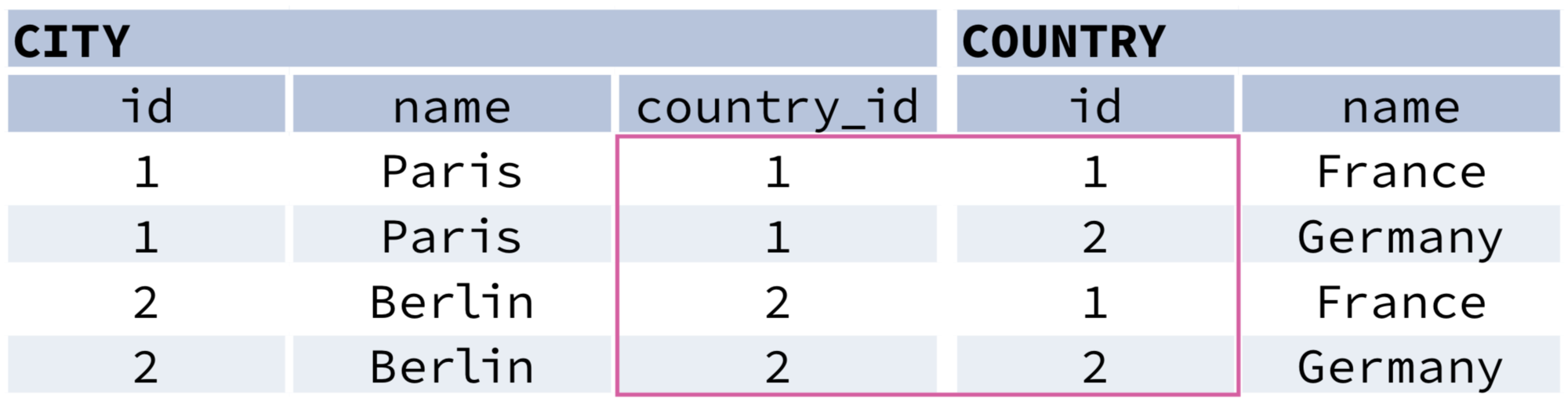
**`CROSS JOIN`** returns all possible combinations of rows from both tables. There are two syntaxes available.
```sql
SELECT city.name, country.name
FROM city
CROSS JOIN country;
SELECT city.name, country.name
FROM city, country;
```
**NATURAL JOIN**
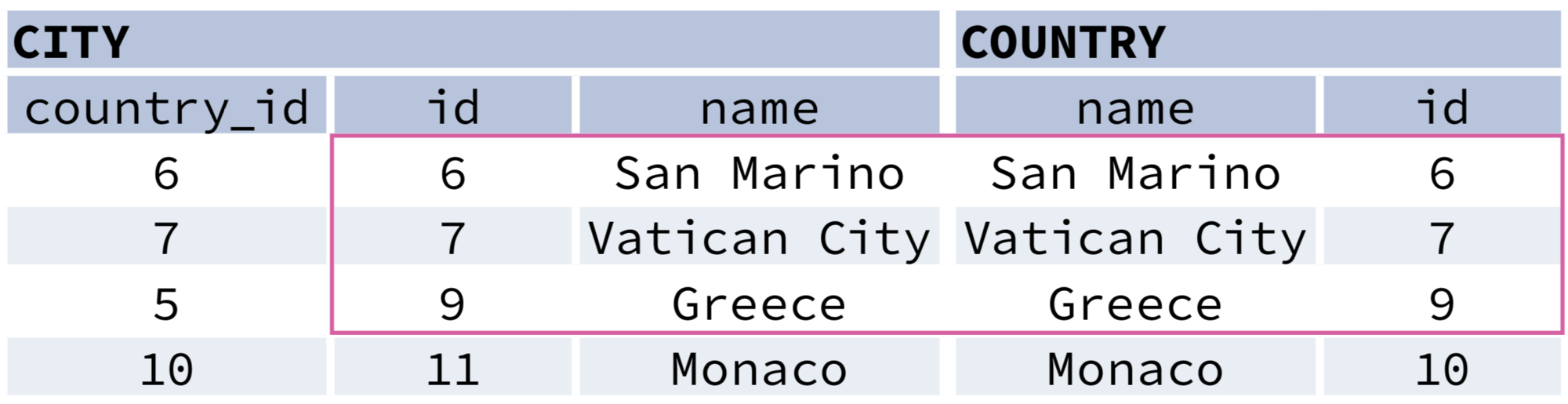
**`NATURAL JOIN`** will join tables by all columns with the same name.
```sql
SELECT city.name, country.name
FROM city
NATURAL JOIN country;
```
**`NATURAL JOIN`** used these columns to match rows:\
\&#xNAN;**`city.id`**, **`city.name`**, **`country.id`**, **`country.name`**.\
\&#xNAN;**`NATURAL JOIN`** is very rarely used in practice.